Pharmaco-Net, wired straight into your assistant.
Connect Claude, or any MCP-compatible client, to your Pharmaco-Net account. Build simulations, run docking screens, fold structures, and read back results, all without leaving the conversation.
Connect to your AI assistant
Add this URL as an MCP server in Claude, Cursor, or any MCP-compatible client.
Getting started
Once connected, your assistant walks you through the rest.
- Add the MCP URL above to your AI client's server settings.
- Follow the login link and sign in with your Pharmaco-Net/Google account.
- Start with: “Find inhibitors for CDK2” or “Run a docking screen on PDB 6LU7.”
Prefer to watch it set up manually?
A short walkthrough of adding this server to an MCP client by hand.
Everything a discovery pipeline needs
Six tool domains, called directly from conversation, covering the same pipeline scientists run on the Pharmaco-Net canvas.
Clean PDB structures and identify binding pockets with AI-powered pocket detection.
Screen compound libraries against target proteins and rank hits by binding affinity.
Predict 3-D protein structure from amino acid sequence using deep learning models.
Predict absorption, distribution, metabolism, excretion, and toxicity properties.
Automated PubMed, PubChem, and RCSB lookups to ground experiments in real science.
Agentic pipeline design with visible chain-of-thought reasoning before any action.
Projects, simulations, canvas
Projects group related drug-discovery work. Each project holds one or more simulations: visual pipelines of connected canvas nodes that run computational modules (protein folding, docking, filtering, ADMET analysis, and more) against data stores (protein structures, sequences, compound libraries).
Running a module costs tokens.
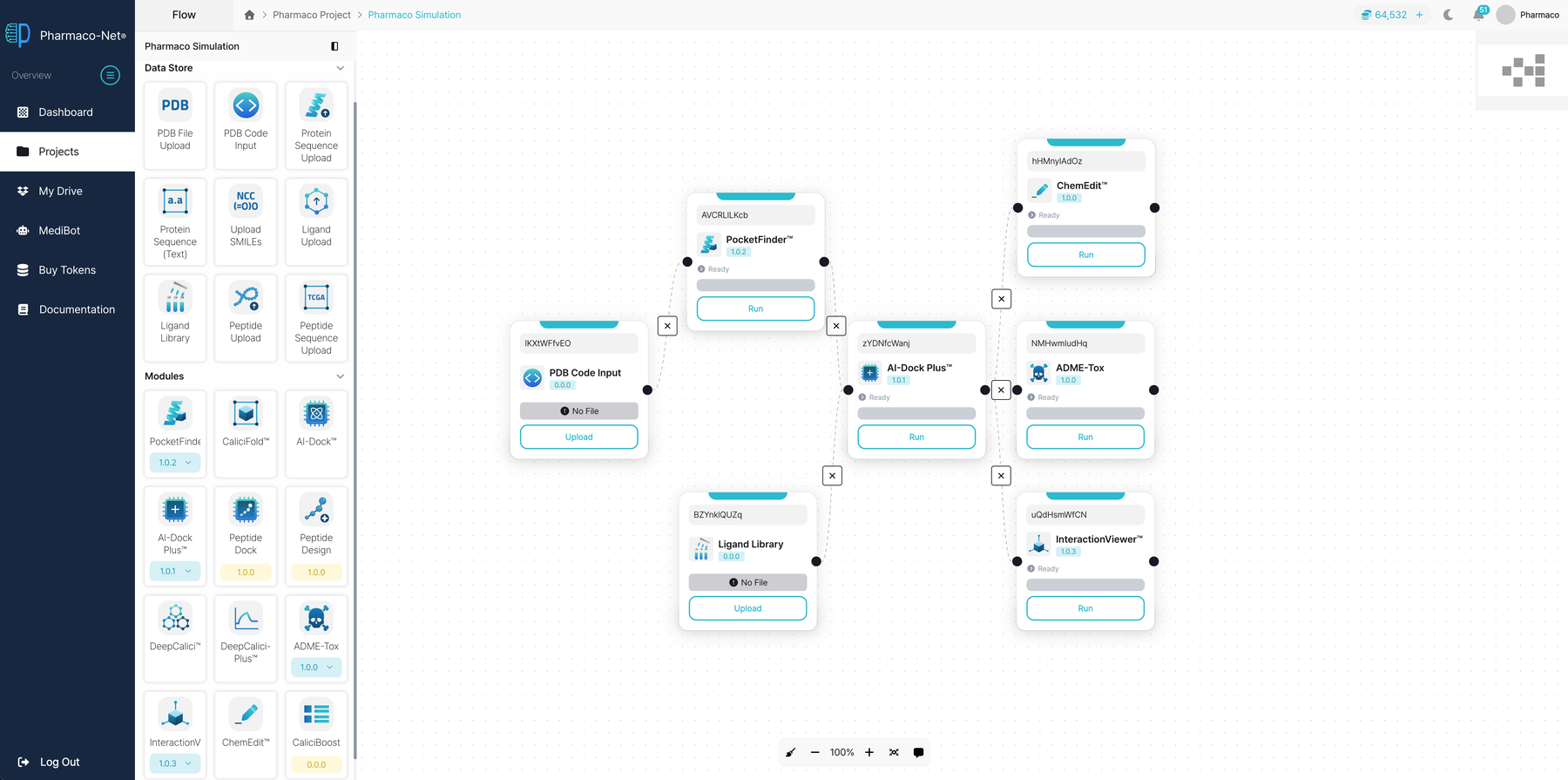
The same canvas your assistant edits: modules connected as vertices in a simulation.
Data & third-party services
This server calls the Pharmaco-Net backend on your behalf, using your own authenticated session. It does not read your AI assistant's conversation history, memory, or files.
To ground research in real science, three read-only public research tools additionally query RCSB PDB (protein structures), PubMed (literature), and PubChem (known active compounds). This server also stores a shared, anonymized cache of past experiments in its own ChromaDB instance, to speed up repeat research on the same targets.
Contact
Contact: [email protected]